
Restore Faded Photos Online
Recover contrast, tones and detail from prints that have faded, yellowed or darkened with age. Compare the recovery against the original before you save it.
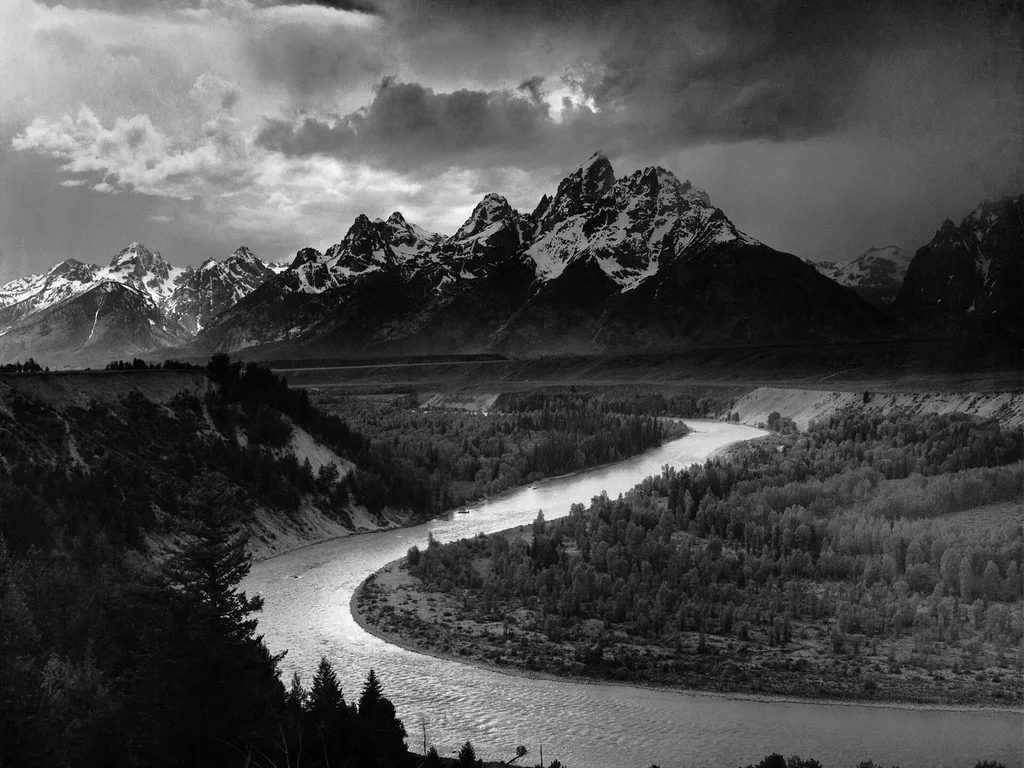 BeforeAfter
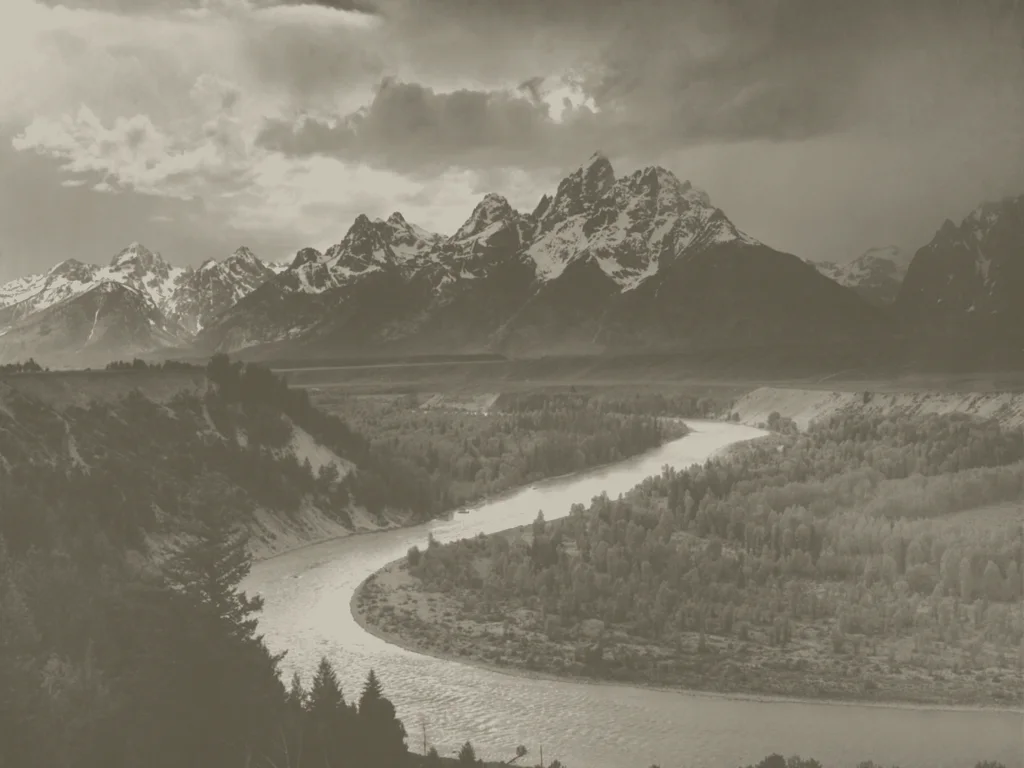
Sample demo — fixed before/after pair · Public domain, via Wikimedia Commons
Try the tool
The bundled samples are fixed before/after pairs: public-domain photographs programmatically degraded for the “before”, with the original as the “after” (documented in ASSET_SOURCES.md), so you can see what fade recovery looks like on real material.
Try a sample demo
Or upload your own photo
JPEG, PNG or WebP up to 10 MB, between 64 and 8192 px per side · Kids welcome with a parent's OK · no celebrities. Recover contrast, tones and detail from faded, yellowed or sun-damaged prints.
What fade recovery does — and its limits
Fading is a global problem: the whole print loses density, highlights wash out, blacks turn gray and color prints shift yellow or magenta. Fade recovery rebalances tones and contrast across the entire image rather than repairing individual marks.
A good recovery looks like the print did on the day it was made — not like a heavily filtered modern photo. The aim is to bring back separation between tones, especially in faces.
Honest limitations
- A print faded to near-white has lost the information itself; recovery can improve but not reinvent it.
- Uneven fading (sun exposure on one side) is harder than uniform fade and may leave residual patches.
- Custom uploads proceed only when Google sign-in, server-side validation, input/output moderation, atomic budget and quota controls, and the configured private processing storage are all available; otherwise the request fails closed.
Where fade recovery helps
Sun-exposed display prints
Photos hung in sunlight fade unevenly; recovery restores readable tones for reframing.
Yellowed album pages
Decades in adhesive albums shift prints yellow-brown; recovery neutralizes the cast and restores contrast.
Color prints from the 70s–90s
Consumer color prints of that era fade and shift magenta; recovery brings back believable color balance.
Washed-out black-and-white prints
Old gelatin-silver prints lose their blacks over time; recovery restores depth without crushing shadow detail.
How it works
1
Upload the faded scan
JPEG, PNG or WebP up to 10 MB. Type, size and dimensions are checked in your browser first.
2
Run fade recovery
The fade-recovery preset rebalances tones and contrast across the whole image. Scratches are a separate task.
3
Compare with the original
Use the slider to check that faces gained separation without losing highlight detail.
4
Download the restored copy
Save the recovered image. The original scan stays untouched.
Best practices for faded prints
Turn off scanner auto-correction
Let the restoration do the work: double correction bakes in clipped highlights you cannot get back.
Scan faded prints in color
Even a black-and-white print benefits: the color channels record stain and fade separately from image detail.
Watch the highlights
The most common failure is blown-out skin. Check foreheads and cheeks with the slider before accepting.
Common problems and how to fix them
The result looks too dark or crunchy
Contrast was pushed past what the scan carried. Rescan without auto-correction and retry.
One side of the photo stays pale
Uneven sun fading may need manual masking; automated recovery handles uniform fade best.
Yellow stains remain after recovery
Localized stains (tape, glue, water) are surface damage, not fade — treat them on the scratch-removal page.
Frequently asked questions
Can a completely bleached photo be restored?
If the scan still shows tonal separation, yes. A print that has faded to a near-uniform white no longer contains the detail to recover.
Is restoring faded photos free here?
The bundled sample demos are free. Google sign-in gives each account one low-resolution watermarked preview per UTC day (up to 512 px), with no card required. Previews have no finished-image download.
How much does it cost?
Paid packs cost $4.99 for 10, $9.99 for 30 or $19.90 for 80 photos, as one-time purchases with no subscription. The 10-photo pack is $0.50 per photo after rounding. Choose paid processing explicitly for a full-size download with no watermark. Failed generations automatically refund your credit (up to 3 times a day); after that, failures go to support review.
Does fade recovery also remove scratches?
No. Fade recovery rebalances global tones; scratches and spots are local damage handled by the scratch-removal task. For combined damage, use the general restore page.
What happens to my uploaded photo?
When you press restore, the photo is uploaded to this site’s server for validation and processing. SeeAPI reviews the input and result for safety, and Kie Nano Banana 2.1 restores the photo. Approved results are stored in owner-scoped private R2. The Privacy Policy lists the configured access and deletion periods. Kie keeps uploaded copies for 24 hours and generated media for 14 days; we cannot immediately delete its copies, including media blocked by our review.
Which files are supported?
JPEG, PNG and WebP up to 10 MB, between 64 and 8192 pixels per side. Scan at 300 dpi or higher for best results.
Can I upload photos of my kids, or old photos of me as a child?
Yes, if you are their parent or guardian or have permission. Childhood photos of yourself are fine too. Tick the confirmation box before each restoration.
What happens to a photo of my child?
It is used only to restore that photo. No face recognition, no age detection, no public gallery, and it is never sold or used for training. Our copy stops being accessible after 15 minutes and is removed by storage expiry within about two days; our restoration provider Kie keeps its own copy of the upload for up to 24 hours and of the result for up to 14 days. Email hello@heirloompix.com and we delete our copies within 24 hours.